

Contacts
A contact is any individual who has interacted with your business through oHallo, whether by email, chat, or WhatsApp. Every person who sends a message becomes a contact automatically.
The contacts list
Section titled “The contacts list”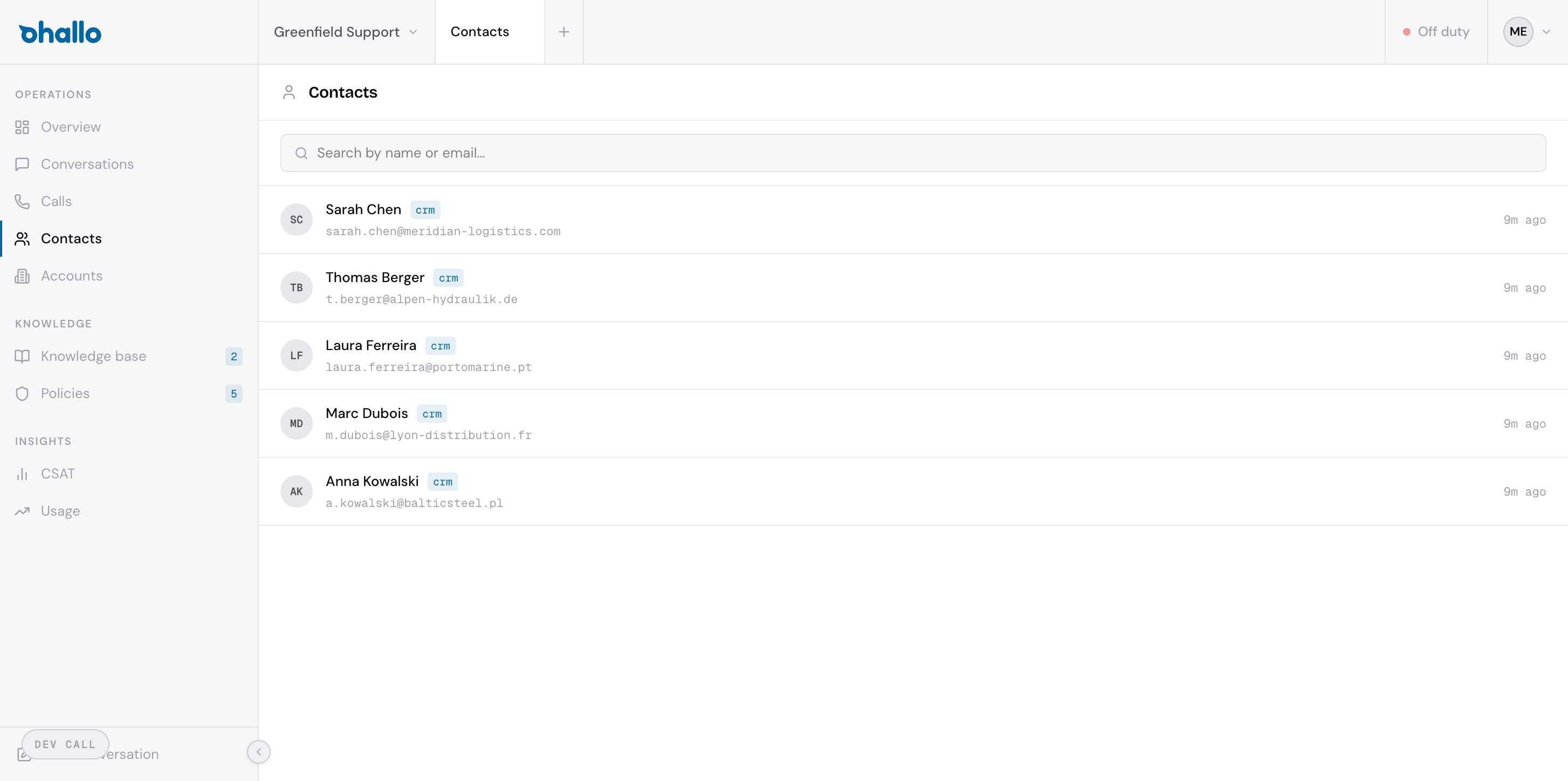
The contacts page shows all known contacts across your workspace. Each row displays:
- Name: the contact’s full name (when available)
- Email: the email address or channel identifier they used
- Company: the account (company) they belong to, if identified
- Resolution status: how oHallo matched this contact to a company (see below)
Use the search bar at the top to find contacts by name, email address, or company.
Resolution statuses
Section titled “Resolution statuses”When a new contact appears, oHallo tries to identify who they are and which company they belong to. The resolution status tells you how far that process has gone:
| Status | What it means |
|---|---|
| Unresolved | New contact with no match yet. oHallo has not been able to link them to any company or CRM record. |
| CRM resolved | Matched to an existing record in your connected CRM system. Contact details have been verified against your CRM data. |
| Domain inferred | Company was inferred from the contact’s email domain. For example, a message from someone@example.com links the contact to the account whose domain is example.com. This is automatic but less certain than CRM resolution. |
Viewing a contact
Section titled “Viewing a contact”Click any contact in the list to open their full profile. The contact detail page shows:
- Contact information: name, email, phone number, and any other known details
- Company: the account they belong to, with a link to the account page
- Conversation history: every conversation this contact has had with your business, across all channels
- Resolution details: how and when the contact was matched to a company
- Customer records: the records in your own systems that this contact proved are theirs (see below)
An email typed in a chat
Section titled “An email typed in a chat”A live chat visitor can type an email address at the start of the chat, or in the email field the chat shows. It shows under Email address followed by “typed by the visitor”. When the contact also has an email address on file and the two differ, the typed one shows on the row below it; when they are the same, the address shows once, as the address on file. In conversation lists (the contact’s Conversations tab, an account’s conversations and Overview), a chat with a visitor who gave no name shows the address on file, else the typed address followed by ”· typed by the visitor”, else “Visitor”.
A typed address is the visitor’s own claim. oHallo uses it only to reach that visitor, for example with a booking confirmation; a visitor reaches their own records by verifying in the chat. The Email action sits on an address on file.
Customer records
Section titled “Customer records”When a contact verifies, oHallo records which of your own records the verification proved are theirs, one per connected system. The contact page lists them under Customer records, each by the name of the connection it lives in:
- the customer number and the company account number the record holds, as your system holds them
- how it was proven: National eID, National eID, business login (MitID Erhverv), Email link, Caller ID or Email sender address, and when
- when the customer declined a National eID request sent through that record, “Declined National eID until” the date and time the decline stops applying (see National eID)
The list is read-only. A later National eID verification in the same system replaces the record’s proof, and a later verification with the customer’s private National eID ends a decline.
How contacts are created
Section titled “How contacts are created”Contacts are created automatically. When a message arrives from a sender that oHallo has not seen before, a new contact record is created immediately. There is no need to manually add contacts; they appear as soon as someone reaches out.
If the sender’s email domain matches a known account, oHallo links the contact to that account automatically. Otherwise, the contact starts as unresolved until more information becomes available.