

Usage
The Usage page shows your conversation volumes, agent activity, and channel activity for a selected period. Use it to understand your consumption patterns and see where the assistant is doing the most work.
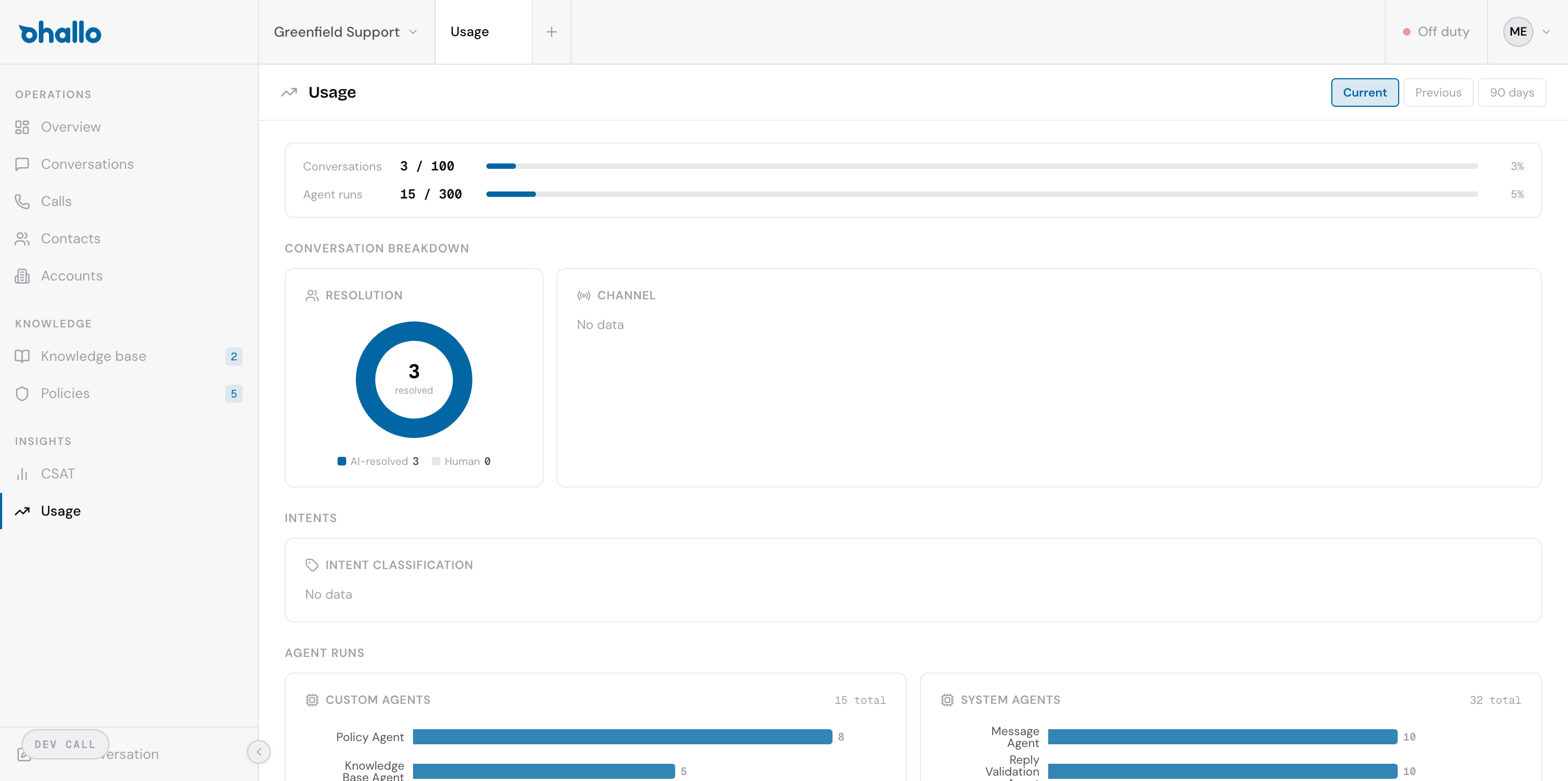
Usage overview
Section titled “Usage overview”The page is organised into three sections: conversation breakdown, intent classification, and agent runs. The period selector at the top of the page controls the range that all three sections report on.
Conversation breakdown
Section titled “Conversation breakdown”The conversation section provides two views:
Resolution chart: Shows how conversations were resolved:
- Resolved automatically: Handled entirely by the assistant without human intervention
- Human-resolved: Required an operator to step in and complete the conversation
Channel distribution: Shows where conversations are coming from (email, chat, WhatsApp), helping you understand which channels drive the most volume.
Intent classification
Section titled “Intent classification”The intent breakdown shows what customers are asking about, categorised by topic. Common intents include:
- Order status enquiries
- Return requests
- Shipping questions
- Billing and payment issues
- Product information requests
This data helps you identify the most common customer needs. If a particular intent appears frequently, it may be worth adding more knowledge base entries or policies for that topic to improve the assistant’s handling.
Agent runs
Section titled “Agent runs”The agent runs section shows how many times each agent type was invoked during the selected period. Agent types include:
- Orchestrator: Analyses incoming messages, classifies intent, and dispatches specialist agents
- Specialist agents: Handle specific tasks like looking up orders or checking inventory
- Message agent: Drafts the final reply to the customer
- Validation agent: Fact-checks the drafted reply before sending
- Learning loop agent: Extracts knowledge base and policy improvement proposals from resolved conversations
This breakdown helps you understand where the platform is spending its processing effort.
Period selector
Section titled “Period selector”Use the period selector to view usage over different time ranges:
- This month: The current calendar month
- Last month: The previous calendar month
- Last 90 days: A rolling three-month view
For questions about your usage, contact your account manager.