

Policies Overview
Policies are business rules that tell the assistant how to handle specific situations. While the knowledge base provides information for answering questions, policies provide instructions for behaviour: what the assistant should do, must avoid, or when it should escalate to a human.
How the assistant uses policies
Section titled “How the assistant uses policies”Before the assistant drafts a response, it checks for applicable policies based on the conversation topic and context. If a matching policy exists, the assistant follows its instructions. This means you can enforce business rules consistently across every customer interaction without relying on individual agent memory or training.
Policy structure
Section titled “Policy structure”Each policy has the following parts:
- Topic: The category this rule applies to (e.g. “returns”, “pricing”, “shipping”)
- Rule text: The specific instruction the assistant must follow
- Conditions (optional): Criteria that determine when the policy applies
Examples of policies
Section titled “Examples of policies”Here are some real-world examples to illustrate what policies look like:
| Topic | Rule |
|---|---|
| Returns | Return requests with a value above EUR 2,000 require human approval: hand off to your team |
| Returns | Always require an RMA number before processing a return |
| Pricing | Never disclose wholesale pricing to end customers |
| Shipping | For orders over 50 kg, inform the customer that delivery requires a loading dock or forklift |
| Support | If the customer mentions legal action, immediately hand off to your team |
| Credit | Do not offer credit extensions without manager approval |
Conditions
Section titled “Conditions”Policies can include conditions that control when they apply. A condition narrows the scope of a rule so it only triggers in certain situations.
For example, the rule “Hand off return requests to your team” might have a condition “Order value exceeds EUR 2,000”. Without the condition, every return request would be escalated. With it, only high-value returns are flagged.
The Policies list view
Section titled “The Policies list view”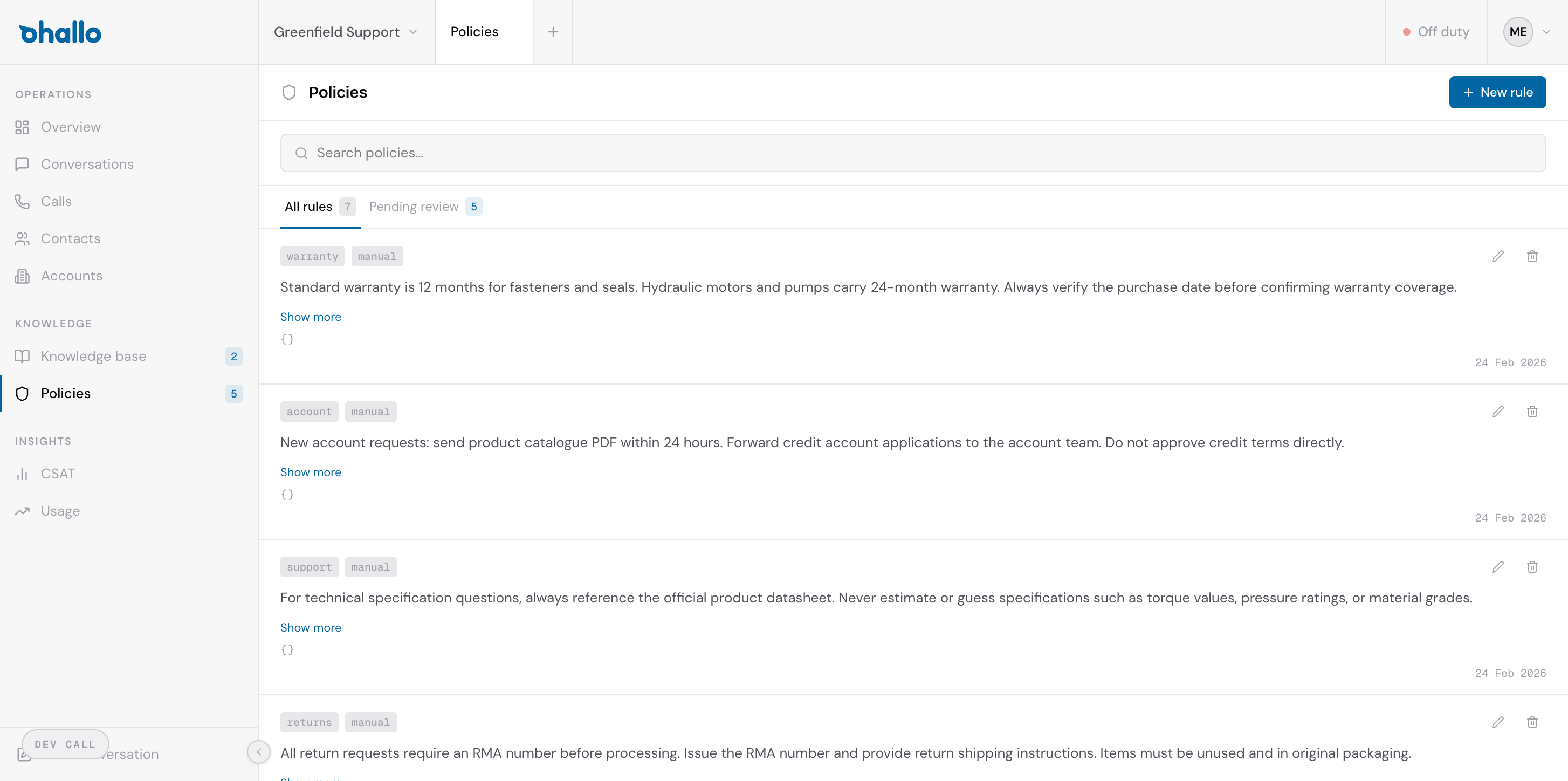
The Policies page displays all your rules in a list. Two tabs are available at the top:
- All rules: Shows every policy regardless of status
- Pending review: Shows policies proposed by the learning loop that need your approval
Policies vs. knowledge base
Section titled “Policies vs. knowledge base”A common question is when to use a policy versus a knowledge base entry. The distinction is straightforward:
- Knowledge base: Answers the question “What information should the assistant know?”
- Policies: Answers the question “What rules should the assistant follow?”
If a customer asks “What is your return window?”, that is a knowledge base entry. If you want the assistant to always escalate returns above a certain value, that is a policy.