

Knowledge Base Overview
The knowledge base is a collection of question-and-answer pairs that oHallo references when responding to customer messages. The more complete and accurate your knowledge base is, the better the assistant handles enquiries without human intervention.
How the assistant uses KB entries
Section titled “How the assistant uses KB entries”When a customer sends a message, oHallo’s planning agent searches the knowledge base for entries that match the customer’s question. Relevant entries are passed to the message agent as context, so the assistant drafts its reply based on your verified information, not guesswork.
For example, if a customer asks “What is your return policy?”, the assistant looks for KB entries tagged with “returns” and uses the answer text to compose an accurate response.
Entry structure
Section titled “Entry structure”Each knowledge base entry has three parts:
- Question: The customer question this entry answers (e.g. “How long does shipping take?”)
- Answer: The complete answer the assistant should use when responding
- Topics: One or more tags that categorise the entry (e.g. “shipping”, “returns”, “billing”, “warranty”)
Topics help the assistant find the right entries quickly. When a customer asks about returns, the assistant prioritises entries tagged with “returns” over unrelated entries.
Entry statuses
Section titled “Entry statuses”Every entry has a status that determines whether the assistant can use it:
| Status | Meaning |
|---|---|
| Approved | Active and used by the assistant when answering customer questions |
| Pending review | Proposed by the learning loop or created as a draft: needs human approval before the assistant can use it |
| Rejected | Reviewed and declined: the assistant will not use this entry |
| Archived | No longer active: removed from consideration but kept for reference |
Only entries with the Approved status are used by the assistant. All other statuses are invisible to the assistant when it drafts replies.
The Knowledge Base list view
Section titled “The Knowledge Base list view”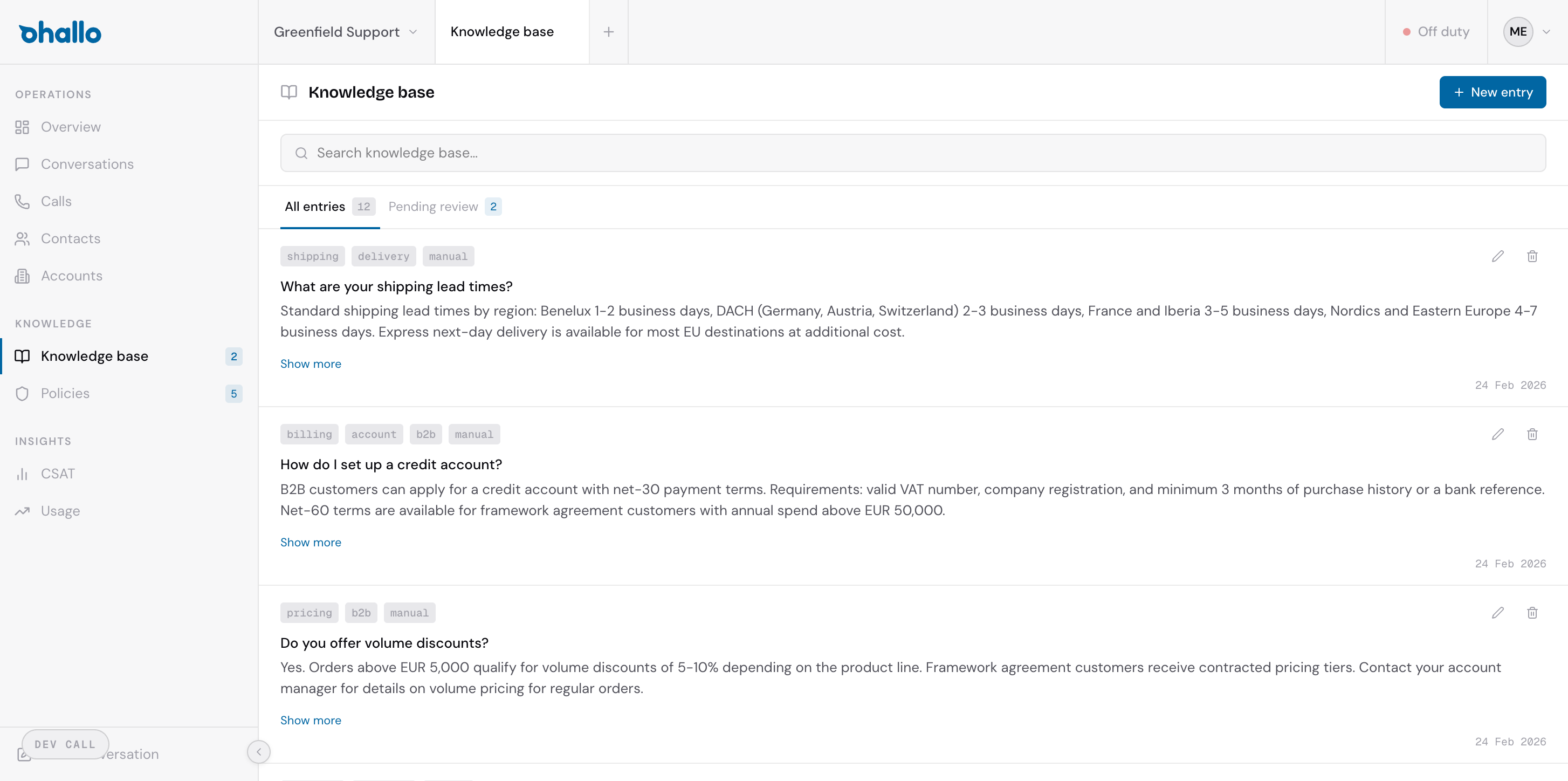
The Knowledge Base page displays all your entries in a searchable list. At the top you will find two tabs:
- All entries: Shows every entry regardless of status
- Pending review: Shows only entries waiting for your approval, with a badge indicating how many proposals need attention
You can search entries by keyword or filter by topic to find specific content quickly.
Getting started
Section titled “Getting started”If you are setting up the knowledge base for the first time, start with your most frequently asked customer questions. Even a small set of well-written entries will noticeably improve the assistant’s response quality. You can always add more entries as new questions come up.